IBO Player Pro Installation Guide 2026 — Complete IPTV Setup for Any Device
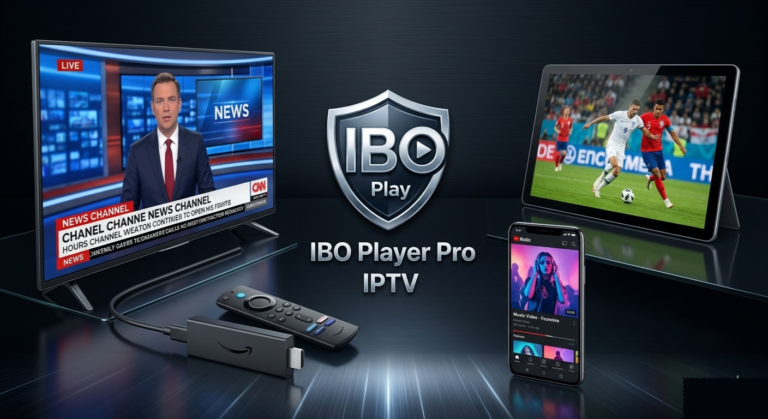
This IBO Player Pro installation guide covers everything you need to start streaming IPTV in 2026. IBO Player Pro is a professional media player designed specifically for IPTV use — supporting M3U playlists and Xtream Codes API on virtually every device: Samsung Smart TV, LG TV, Android, Android TV, Firestick, Windows, iOS/macOS, and more.
Important: IBO Player Pro is a media player only — it does not include any TV channels. To stream content, you need an active IPTV subscription. Pair it with one of the best IPTV providers at iptvproviders.pro and you will be watching live TV, sports, and movies in minutes.
Important: IBO Player Pro is a media player only — it does not include any TV channels. To stream content, you need an active IPTV subscription. Pair it with one of the best IPTV providers at iptvproviders.pro and you will be watching live TV, sports, and movies in minutes.
What is IBO Player Pro?
IBO Player Pro is a professional IPTV media player optimised for fast channel loading and smooth streaming across all screen resolutions up to 4K. It supports standard playlist formats (M3U and Xtream Codes API), parental controls, a clean user interface, and works on Android smart TVs, sticks, smartphones, tablets, Firestick, LG, Samsung, iOS, and Windows.
Unlike generic media players, IBO Player Pro is built from the ground up for IPTV use — making it one of the most reliable and widely used IPTV players in the USA and Canada in 2026. The app itself is free; you only need a valid IPTV subscription to access live channels and on-demand content.
In 2026, IBO Player Pro has become a top choice for cord-cutters looking for a stable, easy-to-configure alternative to IPTV Smarters Pro or TiviMate.
IBO Player Pro Installation Guide 2026 — Step by Step per Device
How to Install IBO Player Pro on Samsung Smart TV
1. Go to Samsung Apps on your TV (Samsung Smart Hub).
2. Search for IBO Player Pro.
3. Download and install the app.
4. Launch the app — your MAC address and Device Key appear on the home screen. Write them down, you will need both for activation.
Direct download link for Samsung TV: https://shorturl.at/nAOUY
How to Install IBO Player Pro on LG Smart TV (WebOS)
1. Open the LG Content Store.
2. Search for IBO Player Pro.
3. Install the app and launch it.
4. Note your MAC address and Device Key from the home screen.
How to Install IBO Player Pro on LG Smart TV (WebOS)
1. Open the LG Content Store.
2. Search for IBO Player Pro ou donwnload direct
3. Install the app and launch it.
4. Note your MAC address and Device Key from the home screen.
How to Install IBO Player Pro on Android & Android TV
1. Open the Google Play Store ou download
2. Search for IBO Player Pro and install.
3. Launch the app — MAC address and Device Key appear on screen immediately.
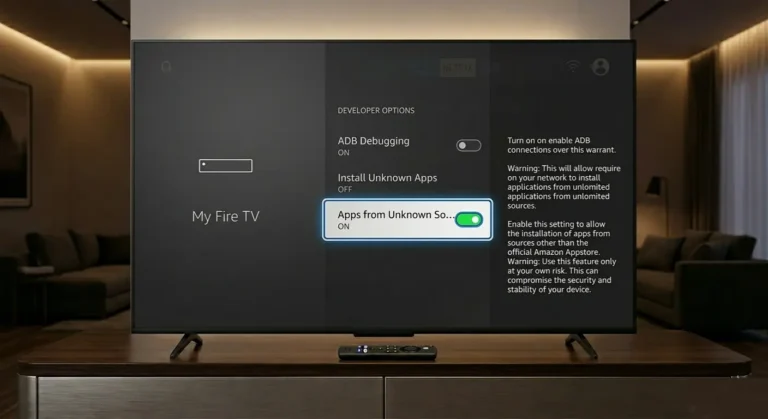
How to Install IBO Player Pro on Firestick
1. From the Firestick home screen, go to Search and find and install the Downloader app.
2. Go to Settings > My Fire TV > Developer Options and enable Apps from Unknown Sources.
3. Open the Downloader app and enter the following download code: 834339
4. Download and install the IBO Player Pro APK.
5. Launch the app and note your MAC address and Device Key.
How to Install IBO Player Pro on Windows / PC
1. Visit the official IBO Player Pro website or the Microsoft Store.
2. Download and install the IBO Player Pro app.
3. Launch the app and note your device code / MAC address.
How to Install IBO Player Pro on iPhone, iPad & MacBook (iOS/macOS)
1. Open the App Store on your device.
2. Search for IBO Player Pro and install.
3. Launch the app to see your MAC address and Device Key.
How to Activate IBO Player Pro — Connect Your IPTV Playlist
Once IBO Player Pro is installed, activation happens through the official web portal — not inside the app itself. You will need your MAC address and Device Key from the app home screen.
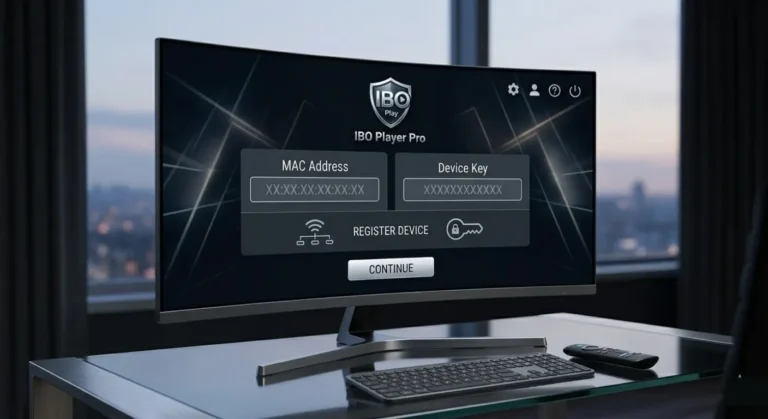
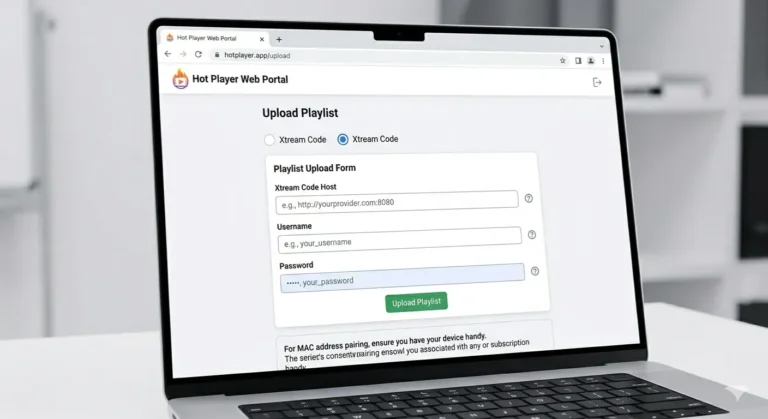
1. Open IBO Player Pro on your device and note your MAC address and Device Key shown on the home screen.
2. Go to the IBO Player Pro activation portal: iboproapp.com/manage-playlists/list/
3. Enter your MAC address and Device Key to log in.
4. Click Add Playlist.
5. Enter a playlist name (any name you choose) and paste your M3U URL or Xtream Codes API credentials (Server URL, Username, Password) from your IPTV provider.
Don’t have a subscription yet? Get your IPTV subscription — plans from $12.99/month, no contract, instant activation.
6. Click Submit / Save.
7. Go back to the IBO Player Pro app and press Reload / Refresh — your channels load automatically.
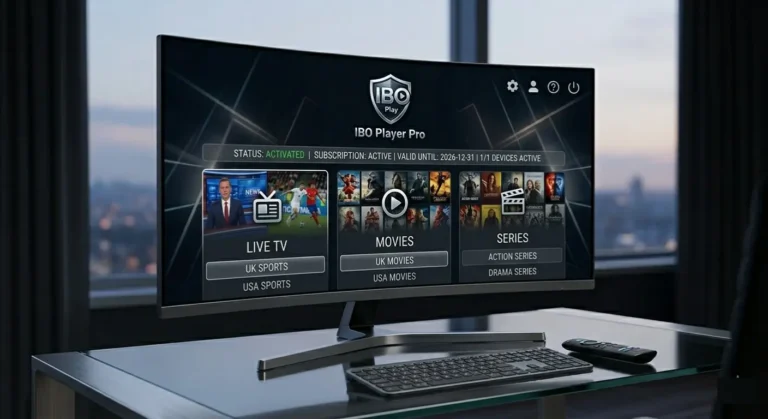
Important Tips — IBO Player Pro IPTV 2026
● IBO Player Pro is a media player only — no channels are included. You always need a valid IPTV subscription or M3U playlist.
● Always note your MAC address AND Device Key when you first launch the app — both are required for activation. Without the Device Key, you cannot log in to the manage playlists portal.
● If you have issues: restart the app or re-upload your playlist at iboproapp.com/manage-playlists/list/
● For the best streaming quality, a minimum internet speed of 15 Mbps is recommended for HD and 25 Mbps for 4K content.
● If you experience buffering, your ISP may be throttling your IPTV traffic. Use a VPN to bypass this — iptvproviders.pro includes a built-in VPN in every subscription plan at no extra cost.
● For the best IPTV providers in the USA compatible with IBO Player Pro — visit iptvproviders.pro/best-iptv-usa-2026/
● For the best IPTV providers in Canada compatible with IBO Player Pro — visit iptvproviders.pro/best-iptv-service-canada-2026/
Conclusion — Is IBO Player Pro the Best IPTV Player in 2026?
This IBO Player Pro installation guide shows how quick and straightforward the setup process is across every major device. Whether you are on a Samsung Smart TV, Firestick, Android, iPhone, or Windows PC — IBO Player Pro covers every screen with a clean, fast, and reliable IPTV experience.
With its dedicated M3U and Xtream Codes support, MAC-based activation, and parental controls, IBO Player Pro remains one of the top recommended IPTV players for users in the USA and Canada in 2026. All you need to complete the setup is a reliable IPTV subscription.
At iptvproviders.pro, you get 35,000+ live channels, 130,000+ on-demand titles, true 8K streaming, all sports PPV included, and a built-in VPN — from $12.99/month with no contract.
Start Streaming with IBO Player Pro Today — Free Trial at iptvproviders.pro
Ready to follow this IBO Player Pro installation guide and start streaming? Get your IPTV subscription at iptvproviders.pro/free-trial/ — free trial available, no credit card required. Full instant access to all 35,000+ channels from the moment you activate.
35,000+ live channels · 130,000+ movies & series · True 8K · Built-in VPN · All sports PPV · Instant activation
30-Day Money-Back Guarantee — 100% Refund, No Questions Asked.
🇺🇸 USA | 🇨🇦 Canada | Instant Activation | Cancel Anytime — iptvproviders.pro